 JC Maps
Install JC Maps
Keep the map one tap away.
iPhone
In Safari:
-
1. Tap Share
-
2. Tap Add to Home Screen
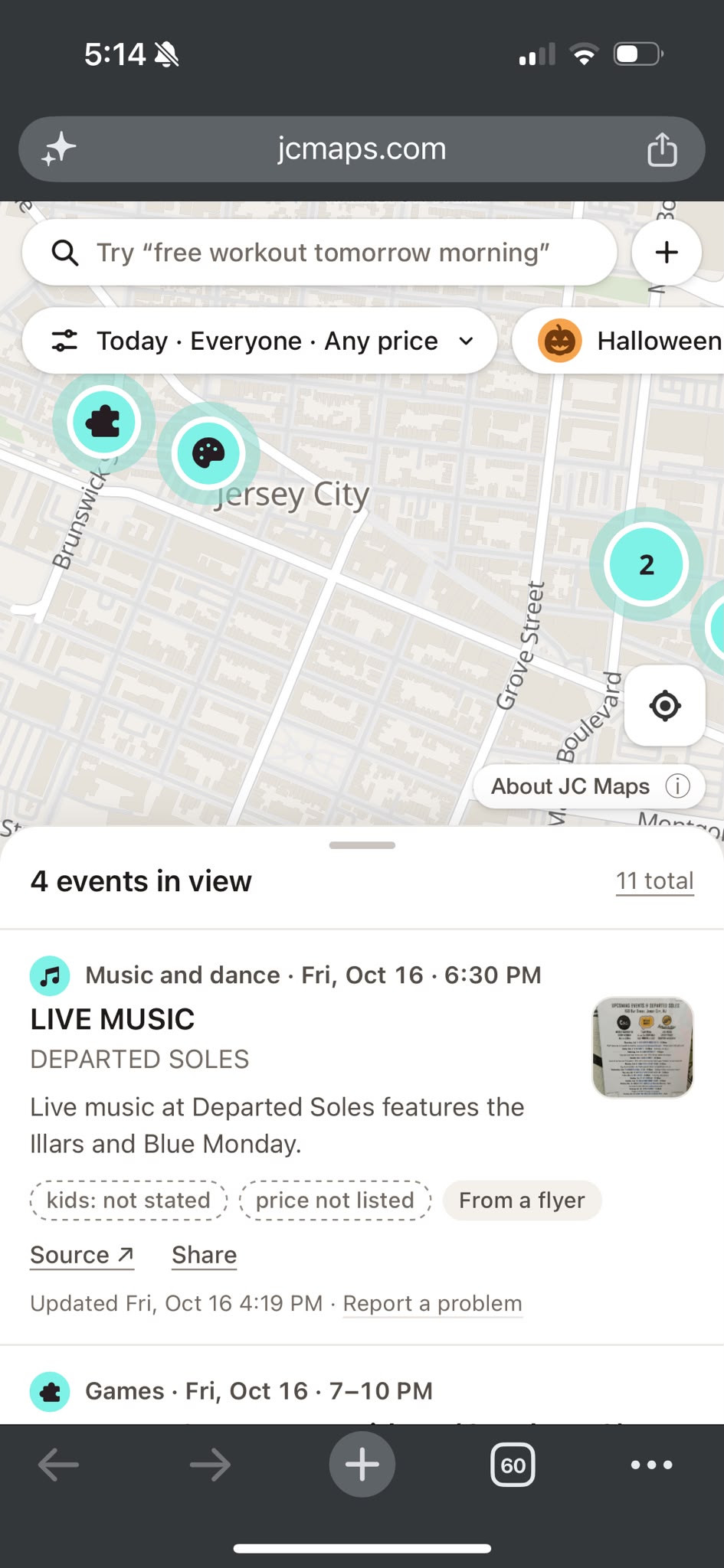
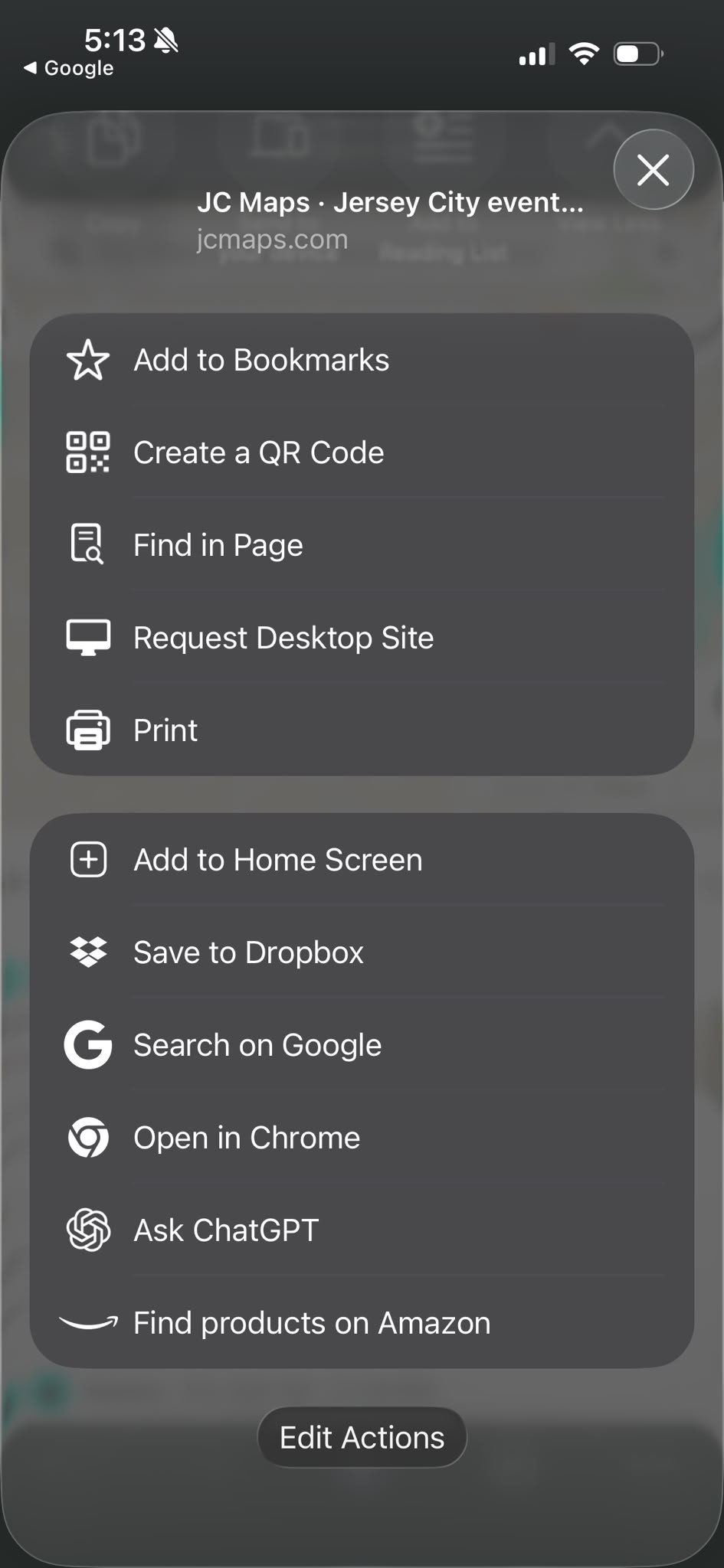
Then tap Add to finish.
Android
In Chrome:
-
1. Tap the menu ⋮
-
2. Tap Install and create shortcut
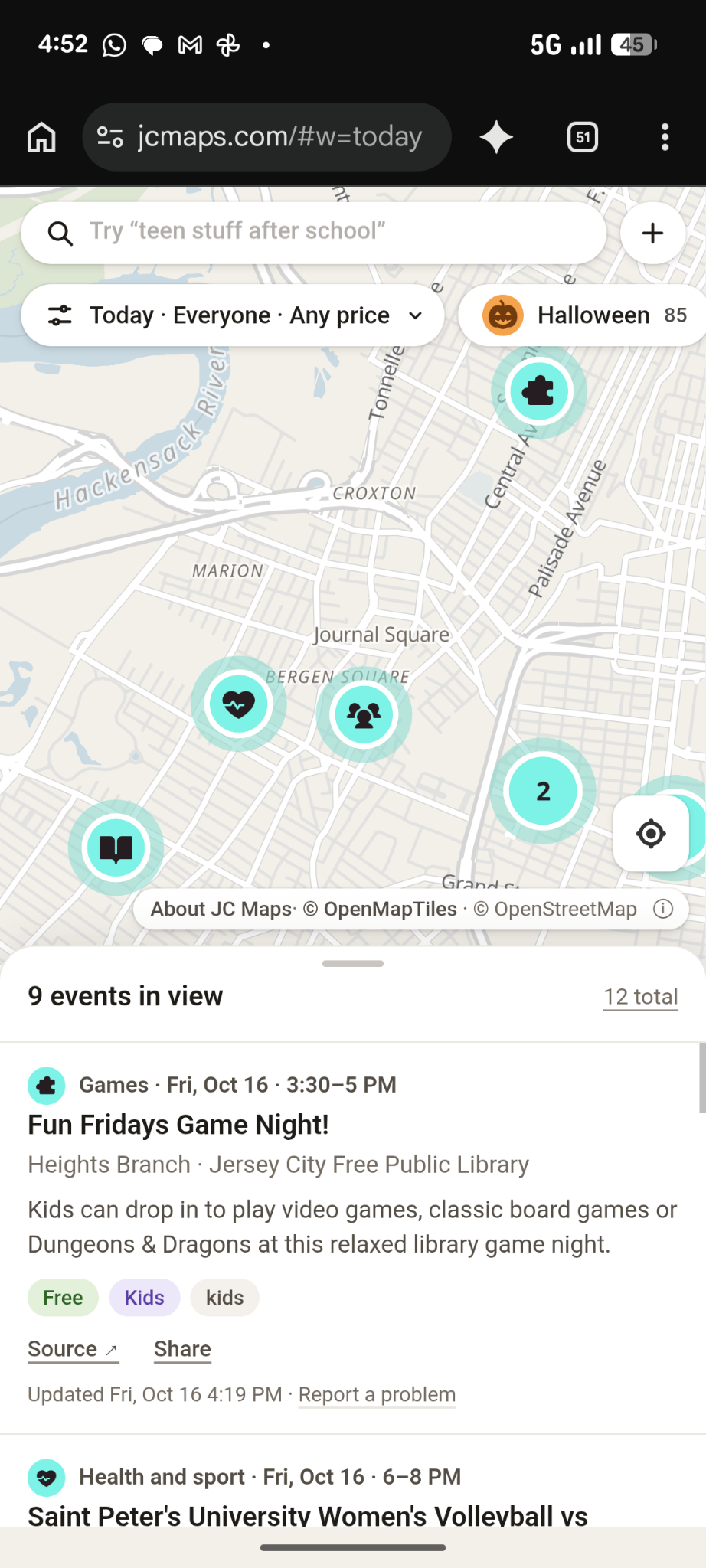
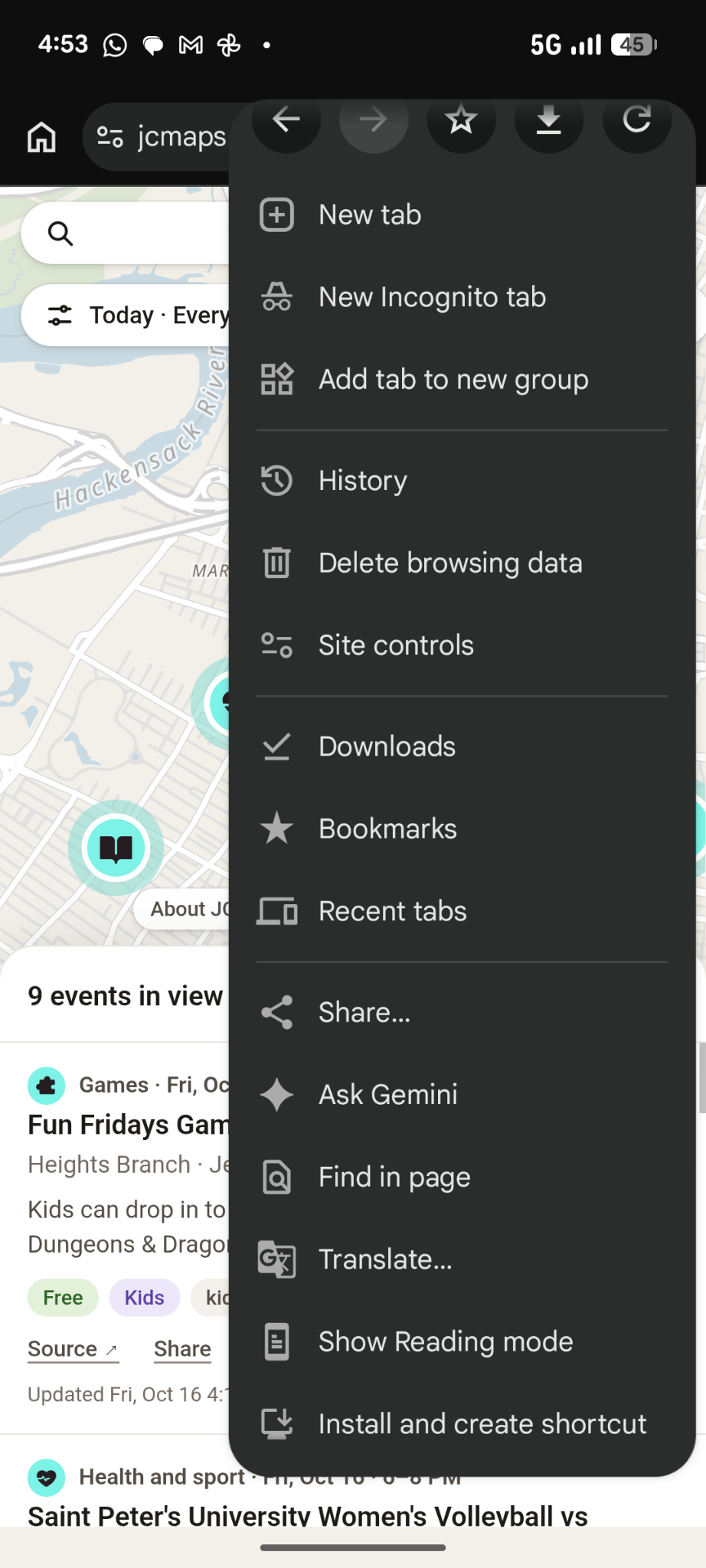
Then confirm Install if asked.
Computer
Chrome or Edge: look for Install in the address bar or menu. Mac Safari: File → Add to Dock.